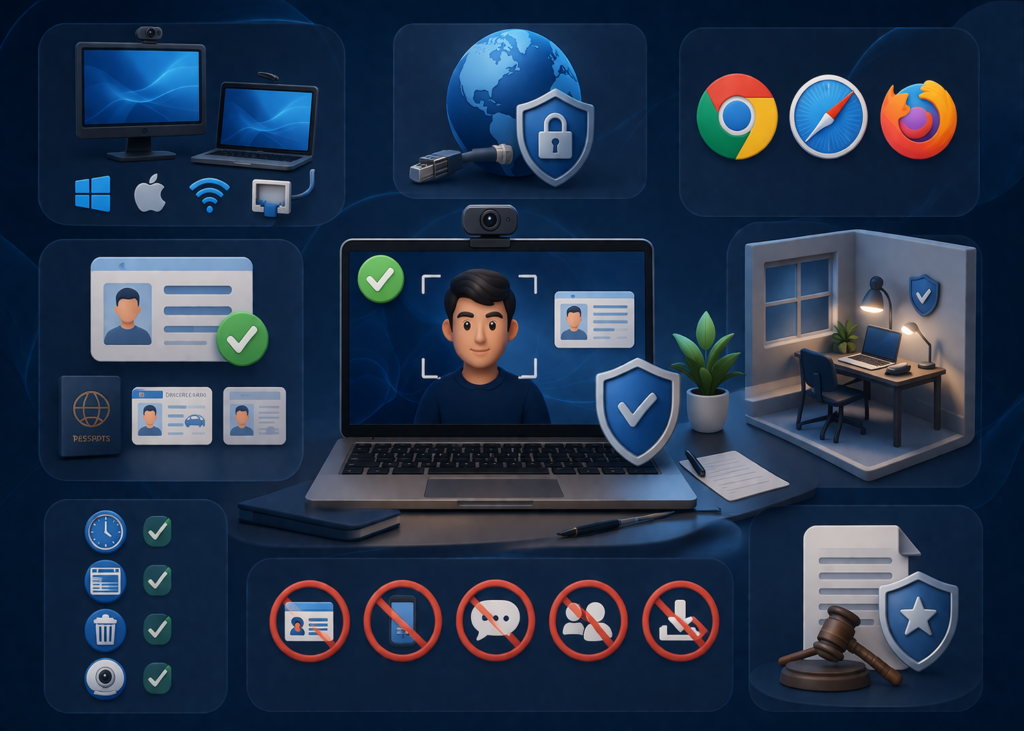
Examination Requirements
We proctoring all our certification exams in our partner website Examit.com
Examination Requirements
To ensure examination integrity, security, and a seamless testing experience, all CertCop and Biocertification.com certification exams are securely delivered and remotely proctored through our trusted third-party testing partner, ExamIT.com.
Please review the following requirements and policies before scheduling your certification examination.
System Requirements
To participate in an online proctored examination, candidates must meet the following minimum technical requirements:
Computer & Device Requirements
- A laptop or desktop computer with a working webcam and microphone
- Windows 10 or higher, or macOS 10.15 or higher
- External monitors are permitted only if approved by the proctoring platform requirements
Internet Requirements
- A stable and secure internet connection with minimum upload and download speeds of 3 Mbps
- A wired (LAN) internet connection is strongly recommended for optimal performance and stability
- Avoid public Wi-Fi or unstable wireless networks during testing
Browser Requirements
For the best examination experience, use an updated web browser:
- Google Chrome (Recommended)
- Mozilla Firefox (Latest Version)
- Safari (Latest Version for Mac Users)
Please ensure your browser is fully updated prior to the examination. Some browsers or outdated versions may not be supported due to technical compatibility and security requirements.
Webcam & Audio Requirements
- A functioning webcam and microphone are required throughout the exam session
- Proctors must be able to clearly verify your identity and monitor your testing environment during the examination
- Your face must remain visible throughout the testing session
Identification Requirements
All candidates are required to present a valid, original, government-issued photo identification document prior to the examination.
Acceptable Identification Requirements
Your identification must:
- Be government-issued and unexpired
- Include your full legal name
- Include a recent and recognizable photograph
- Match the registration information used for the examination
Accepted Forms of Identification
The following forms of ID are accepted:
- International Passport
- Driver’s License
- National, State, or Provincial Identification Card
- Permanent Resident Card / Green Card / Visa Identification
Photocopies, expired documents, screenshots, or digital copies of identification documents will not be accepted.
Testing Environment Requirements
Candidates must test in a quiet, private, and interruption-free environment.
To maintain examination integrity:
- Select an enclosed, private room where others cannot enter or pass through during the examination
- Avoid testing near windows, glass walls, or visible public areas
- Inform household members or coworkers that you cannot be interrupted during the exam
- Ensure the testing area is quiet and free from distractions or background noise
- Maintain sufficient lighting so the proctor can clearly see you and your surroundings
- Avoid sitting directly in front of strong backlighting or windows that may interfere with visibility
Before the examination begins, candidates may be required to complete an environment scan using their webcam.
Examination Rules & Candidate Responsibilities
To avoid interruptions or exam termination, candidates must comply with the following requirements during the examination:
Before the Exam
- Log in to the examination portal at least 10 minutes before your scheduled exam time
- Close all unnecessary browsers, tabs, and applications before launching the exam
- Clear browser cache, temporary files, and browsing history to improve system performance
During the Exam
Candidates must:
- Present a valid government-issued photo ID when requested
- Complete a room scan using their webcam if requested by the proctor
- Remain seated and visible in front of the webcam for the duration of the exam
- Test alone without any unauthorized person present in the room
- Avoid communication with others through any method during the examination
- Remain within the active examination window and avoid switching between applications or browser tabs
- Refrain from accessing external websites, software, devices, notes, or reference materials unless explicitly authorized
- Maintain an active internet connection throughout the examination
Unauthorized actions, including leaving the examination window, switching tabs, or accessing prohibited materials, may be flagged as suspicious activity and could result in immediate exam termination.
Examination Policies & Integrity Standards
CertCop maintains strict professional and ethical examination standards to preserve the value and integrity of its certifications.
The following policies apply to all candidates:
Prohibited Conduct
The following actions are strictly prohibited:
- Cheating, misconduct, impersonation, or unauthorized assistance
- Use of unauthorized materials, devices, notes, software, or websites during testing
- Communication with another person during the examination
- Recording, copying, photographing, reproducing, sharing, or distributing examination content in any format
Examination Enforcement
CertCop reserves the right to:
- Immediately terminate any examination session involving suspicious, unethical, or prohibited behavior
- Invalidate examination results if misconduct is identified during or after testing
- Suspend or permanently revoke any certification granted through fraudulent activity or policy violations
Refund Policy
Candidates found in violation of examination policies will not be eligible for refunds of examination fees, vouchers, training costs, or associated expenses.
By registering for a CertCop or Biocertification.com certification examination, candidates acknowledge and agree to comply with all examination requirements, testing procedures, and integrity policies.